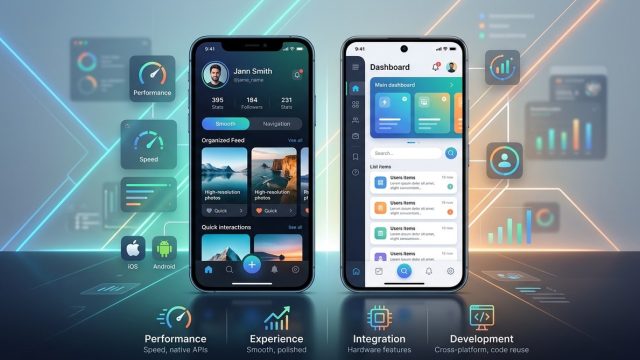
The user experience you deliver on a mobile app is often the deciding factor between success and abandonment. While hybrid and native development share the same goal of delivering a great mobile experience, they differ in how UI and UX are built, perceived, and felt by real users. If your priority is a native like feel, fast interactions, and platform specific polish, you will want to understand where hybrid approaches shine and where native shines brighter. At HybridToNative, we help developers navigate this journey with practical UI/UX strategies, debugging guidance, and migration plans that preserve user delight while aligning with business goals.
Native UX fundamentals
Native app UX principles
Native apps leverage the platform’s own UI guidelines and interaction patterns. When you design for iOS, you follow the Human Interface Guidelines; for Android, you follow Material Design. These are not just stylistic choices but cues users rely on to navigate confidently. Key principles include:
– Consistent visual language that matches platform conventions
– Smooth and responsive animations that align with device refresh rates
– Native controls that feel and behave as users expect
– Predictable navigation patterns and back behavior
– Accessibility features baked into platform APIs
Why native UX matters
- Perceived performance: apps that feel fast and fluid typically come from optimized, platform tuned code paths.
- Trust signals: native UI elements signal reliability and familiarity, reducing friction.
- System integrations: better leverage of device features like haptics, biometric authentication, and system dialogs.
Common native UX challenges
- Platform fragmentation: multiple OS versions and form factors require ongoing testing.
- Update lag: new design guidelines take time to propagate through teams and apps.
- Resource demands: crafting native experiences for multiple platforms can stretch budgets.
Hybrid UX fundamentals
What is a hybrid app user experience
Hybrid apps wrap a web application inside a native shell. They render most UI through a WebView or similar web rendering engine, while exposing device features via bridges or plugins. The result is a cross platform experience with a single codebase, but the UX can differ from a fully native app in subtle and not so subtle ways.
Strengths of hybrid UX
- Faster initial delivery: one codebase across platforms speeds up time to market.
- Consistent cross platform UI: design tokens can yield uniform visuals across devices.
- Simplified maintenance: updates to core UI can be pushed with one codebase.
Common hybrid UX trade offs
- Rendering differences: web rendering may lead to slight discrepancies in fonts, scrolling, and layout.
- Performance bottlenecks: heavy UI logic or animations can feel less fluid on older devices.
- Access to native features: some device APIs require bridging that may introduce latency.
How hybrid apps approach device APIs
- Web based cores with a native shell: UI is web driven, while device interactions are bridged through plugins.
- Plugins and bridges: provide access to cameras, sensors, geolocation, and more, but with added layers of abstraction.
Key UI UX differences between hybrid and native
1) Performance and animation feel
- Native: Typically the smoothest experience with direct access to rendering pipelines, GPU acceleration, and low overhead. Frame rates stay consistently high, and jank is minimized.
- Hybrid: Performance hinges on the quality of the WebView, JavaScript bridge efficiency, and plugin latency. Animations may occasionally stutter if the bridge is overloaded or if a lot of work runs on the main thread.
- What to optimize:
- Use hardware accelerated animations and avoid long JavaScript tasks during critical frames.
- Prefer CSS transitions and requestAnimationFrame for web based UI in hybrid apps.
- Profile on target devices and consider offloading heavy tasks to native code where possible.
2) UI widgets and platform conventions
- Native: Native UI components automatically adapt to platform conventions, typography, spacing, and motion guidelines.
- Hybrid: UI elements are often implemented with web components or cross platform libraries. While you can mimic native visuals, nuances like safe area insets, status bar behavior, and system navigation gestures can diverge.
- What to optimize:
- Align typography, spacing, and iconography with platform expectations.
- Implement responsive layouts that respect platform safe areas.
- Use design tokens to unify visuals while honoring platform cues.
3) Navigation patterns and gestures
- Native: Navigation patterns are deeply tied to platform standards (bottom tabs, swipe gestures, back behavior).
- Hybrid: Navigation can be implemented in the web layer, which may lead to inconsistencies with native navigation patterns.
- What to optimize:
- Map primary navigation to platform norms (e.g., bottom tabs on both, with platform specific behavior).
- Ensure back button handling feels natural on each platform.
- Test gesture recognition across devices and OS versions.
4) Typography, visuals, and responsiveness
- Native: System fonts and rendering are optimized for each platform, including crisp typography at all scales.
- Hybrid: Web fonts and CSS rendering may look different across devices, impacting letter clarity and readability.
- What to optimize:
- Use responsive typography scales and load system fonts when possible.
- Test legibility in varied lighting, DPRs, and screen sizes.
- Optimize image assets for target resolutions to avoid blurriness or pixelation.
5) Accessibility and inclusive design
- Native: Platform accessibility APIs tend to provide robust screen reader and navigation support with less effort.
- Hybrid: Accessibility must be carefully built into the WebView and bridging components; some assistive technologies may require additional configuration.
- What to optimize:
- Implement proper ARIA roles and semantic HTML for hybrid UI.
- Ensure keyboard navigability and screen reader labels on all interactive elements.
- Validate color contrast and touch targets across devices.
6) Offline support and data handling
- Native: Typically excels with offline caching, database access, and background sync through platform services.
- Hybrid: Offline behavior depends on the web layer and available offline storage strategies.
- What to optimize:
- Use progressive web app patterns where appropriate in hybrid UI to enhance offline readiness.
- Implement reliable caching strategies and data synchronization for hybrid UI.
Practical implications for design and development
Design decisions that influence UX outcomes
- Consistency vs flexibility: Hybrid offers consistency across platforms but may limit native specific feel; native provides platform congruence at the expense of maintaining multiple codebases.
- Visual fidelity: Decide early if pixel perfection is critical or if a consistent brand driven look across platforms suffices.
- Performance budget: Define a maximum allowed frame drop rate or perceived latency and design to meet it.
Development patterns that improve UX
- Design tokens: Centralize color, typography, spacing, and elevation values to ensure consistency across hybrid and native implementations.
- Component libraries: Create or adopt UI components tuned for performance and accessibility in both environments.
- Platform specific tweaks: Even in hybrid apps, allow a small layer of platform specific adaptations to better align with user expectations.
- Progressive enhancement: Build core UX that works well on all devices and add enhancements where devices permit.
Migration and UI UX optimization with HybridToNative
Why migrate to native for UI UX improvements
- Native code paths deliver higher performance, smoother animations, and deeper integration with OS features.
- A native transition can unlock improved accessibility, platform specific motion, and more precise gesture handling.
- A clear migration plan reduces risk and preserves user experience quality during the switch.
A practical migration roadmap
1) Assess and inventory UI/UX components
– Catalog current screens and interactions
– Identify high impact screens where native polish would most improve UX
2) Build a robust design system
– Create design tokens for color, type, spacing, and elevation
– Define platform specific UI patterns while preserving a cohesive brand
3) Prioritize migration targets
– Start with core flows that drive engagement or conversions
– Move progressively to less critical screens to minimize risk
4) Implement native UI foundations
– Rebuild screens with native controls and motion
– Ensure platform accessible APIs are leveraged from the start
5) Validate through user testing
– Conduct cross platform testing sessions focusing on motion, feedback, and ease of use
– Collect accessibility feedback to address any gaps
6) Optimize performance and polish
– Profile frame rates, memory usage, and startup times
– Tune animations and transitions for smoothness
7) Iterate and monitor
– Use analytics to monitor UX metrics such as task success rate, time on task, and bounce rate
– Maintain a feedback loop with end users
UI/UX strategies we emphasize
- A strong design system across hybrid and native layers to ensure consistency
- Native level motion and tactile feedback where possible
- Clear, concise copy and accessible UI labels
- Performance first design: fewer heavy animations and optimized assets
- Progressive enhancement: deliver solid UX on all devices, then improve where possible
Decision framework: should you go native or hybrid
Use this quick framework to guide a decision aligned with your product goals, budget, and timeline.
- Performance criticality
- If your app relies on high frame rate animations, precise gestures, or heavy image processing, lean native
- If visuals and interactions can be effectively delivered with optimized hybrid UI, hybrid can be viable
- Platform independence
- If you must support a wide range of devices with a single codebase, hybrid helps reduce maintenance
- If you require full platform fidelity and rapid adoption of platform evolutions, native is safer
- Time to market and budget
- Hybrid typically offers faster initial delivery and lower upfront cost
- Native usually involves higher costs but can reduce long term maintenance through optimized performance
- Team capabilities
- A strong cross platform team can execute robust hybrid experiences
- A team with deep native expertise can deliver high fidelity UX and performance
- User expectations
- If your users expect platform specific flows and interactions, native can deliver better satisfaction
- For apps with broad usage patterns across platforms and brand consistency, hybrid can suffice
Checklist for a quick assessment
– Do you require device specific gestures and UI patterns?
– Is the app primarily content driven or feature rich with device interactions?
– Do you have a strict time to market window and a limited budget?
– Can you tolerate a potential gap in platform native feel in exchange for faster iteration?
Design patterns and best practices for hybrid and native UX
- Unified design system
- Maintain a single source of truth for colors, typography, spacing, and elevation
- Use tokens that map to both web and native UI abstractions
- Platform aware theming
- Allow subtle platform cues while preserving brand identity
- Respect system UI elements like status bar color and safe areas
- Accessibility first
- Implement semantic structure and accessible labels across all screens
- Performance budgeting
- Define strict budgets for frame drops, animation duration, and main thread work
- Optimize assets and lazy load resources to keep the UI responsive
- Consistency in behavior
- Ensure navigational behavior and feedback are consistent across screens
- Align error messages, empty states, and success feedback with brand voice
- Testing strategy
- Include automated UI tests for critical flows on multiple devices
- Conduct manual testing across OS versions and form factors
- Migration guardrails
- Start with non critical flows to learn from user feedback
- Maintain parallel experiences during transition to native
Real world tips and examples
- Approach to micro interactions
- Use crisp, light feedback for touches and transitions to convey responsiveness
- Align micro interactions with platform expectations to preserve familiarity
- Visual fidelity
- Balance brand identity with platform conventions to avoid jarring discrepancies
- Avoid overuse of heavy shadows or complex gradients that can impact performance
- Asset management
- Serve appropriately sized images and icons to reduce load times
- Use vector assets where possible for crisp rendering on all densities
- Cross platform testing
- Test on a mix of devices, screen sizes, and OS versions
- Include accessibility and localization testing to ensure broad reach
Case study style guidance you can apply
While every app is unique, this framework can help structure a migration or redesign plan:
– Start with a high impact user journey, such as onboarding or core product usage
– Build a native prototype for that journey to measure perceived performance and UX quality
– Parallel track hybrid optimizations for non essential flows
– Use findings to inform broader platform strategy and rollout plan
UI/UX resources and ongoing learning
- Keep up with platform guidelines even after launch
- Invest in regular UX audits especially after updates or feature additions
- Maintain a living design system with version control
Frequently asked questions
Q: Can hybrid apps ever perfectly mimic native UX?
A: Yes, with careful design, performance optimizations, and platform aware decisions, hybrid UX can approach native fidelity. However, certain edge cases and platform specific behaviors may still require native implementation for the best possible experience.
Q: How long does a native migration typically take?
A: It varies by app size and complexity. A focused, high impact migration path for critical screens can take weeks, while a full scale migration across the entire app can take months. Our team helps create a phased plan to minimize risk and maintain UX quality.
Q: What is the biggest risk when migrating UI/UX to native?
A: Losing brand consistency or compromising user flows if changes are not carefully designed and tested. A thorough design system and stakeholder reviews reduce this risk.
Q: Is it possible to maintain a hybrid core and still achieve near native UX?
A: Yes. Hybrid apps can deliver strong UX with native polish by focusing on performance optimization, platform specific tweaks, and robust bridging strategies.
Q: Where should I start if I want to migrate to native for better UI/UX?
A: Begin with a UX audit of existing screens, identify high impact flows, build a design system, and plan a staged migration with prototypes. Align metrics to measure improvement in speed, usability, and satisfaction.
Final thoughts and next steps
UI and UX are not merely cosmetics; they are the primary channel through which users connect with your product. When choosing between hybrid and native, think about the end user experience first, then align development choices with business goals. Hybrid offers speed and consistency across platforms, but native delivers the most refined, platform faithful experiences. With a thoughtful migration and a strong UI/UX strategy, you can realize the best of both worlds.
If you are planning a transition to native or need help maximizing UX through a hybrid to native strategy, HybridToNative is here to help. Our guidance covers debugging, migration planning, and UI/UX strategies tailored to your app’s goals. Let us help you design an experience that delights users on every platform.